How do I know if I have a genuine GX for IPhone LCD?
At GX, every LCD screen we produce has its own unique ID. You can verify this through the QR code attached to each of our LCDs.
If your GX screen does not have a QR code, it means it is not an original GX LCD — and therefore not GX quality.
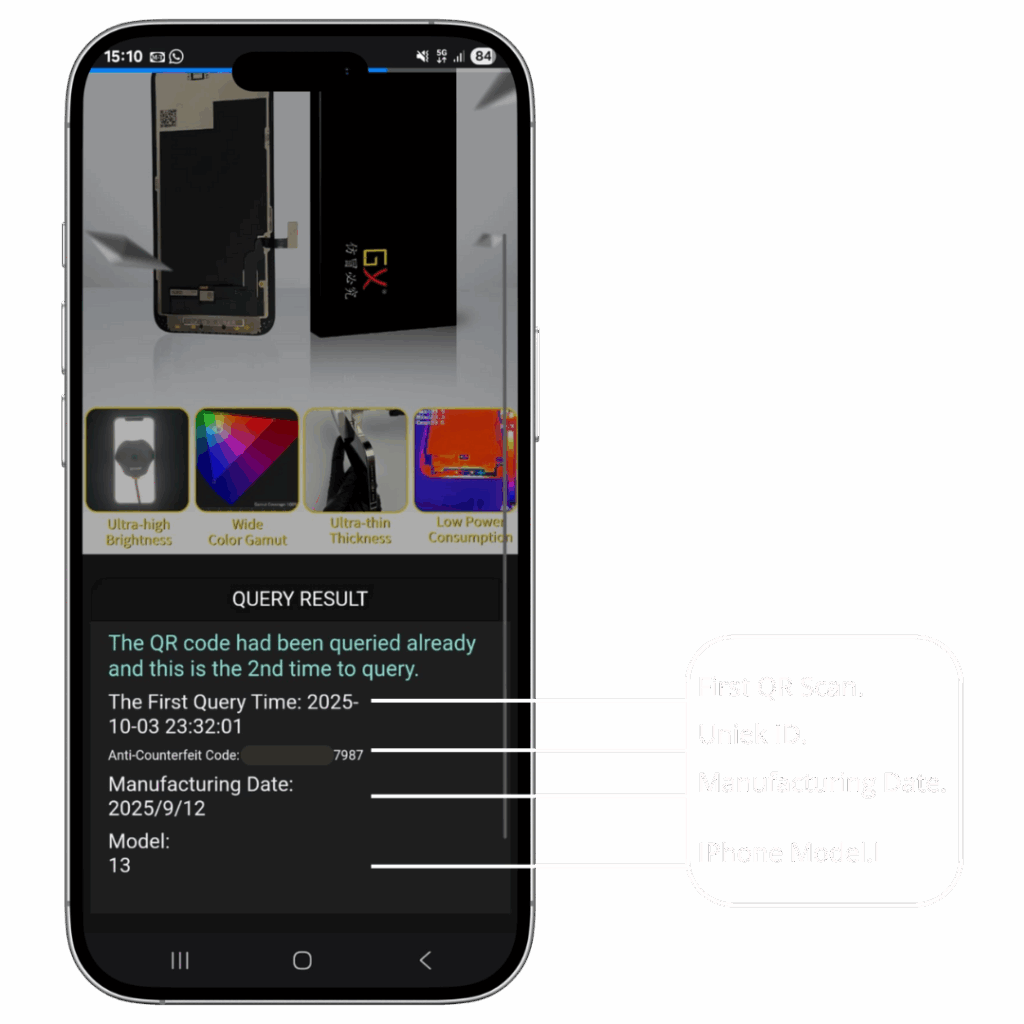
If there is a QR code, simply scan it using your phone’s camera. You will be redirected to a unique verification page where you can see your LCD’s ID, the production date, and the date of your scan. This page will also confirm whether your screen is an authentic GX LCD.
See our examples in the photos below.
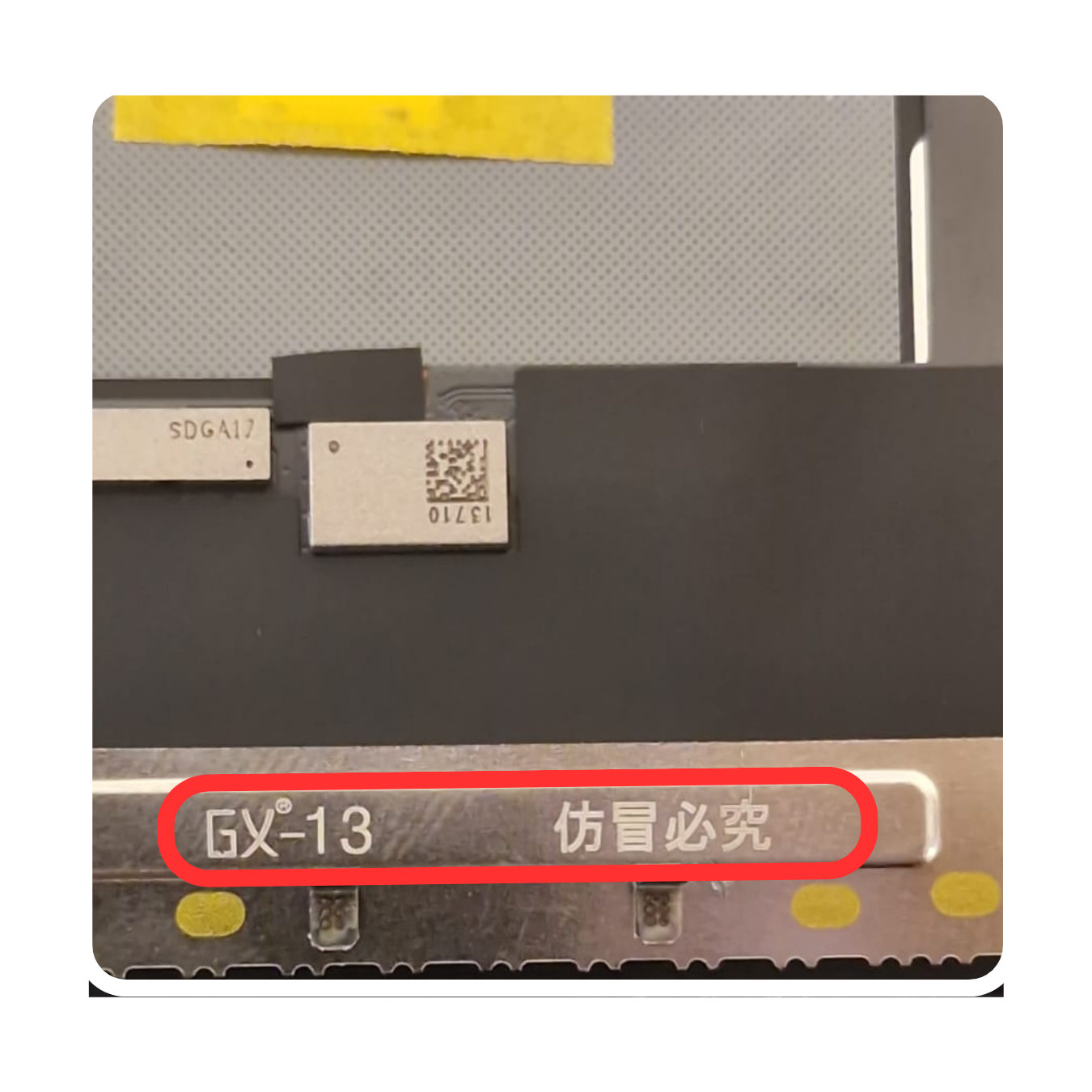
On the inside of the LCD, you will see the GX marking along with the IPhone version number.
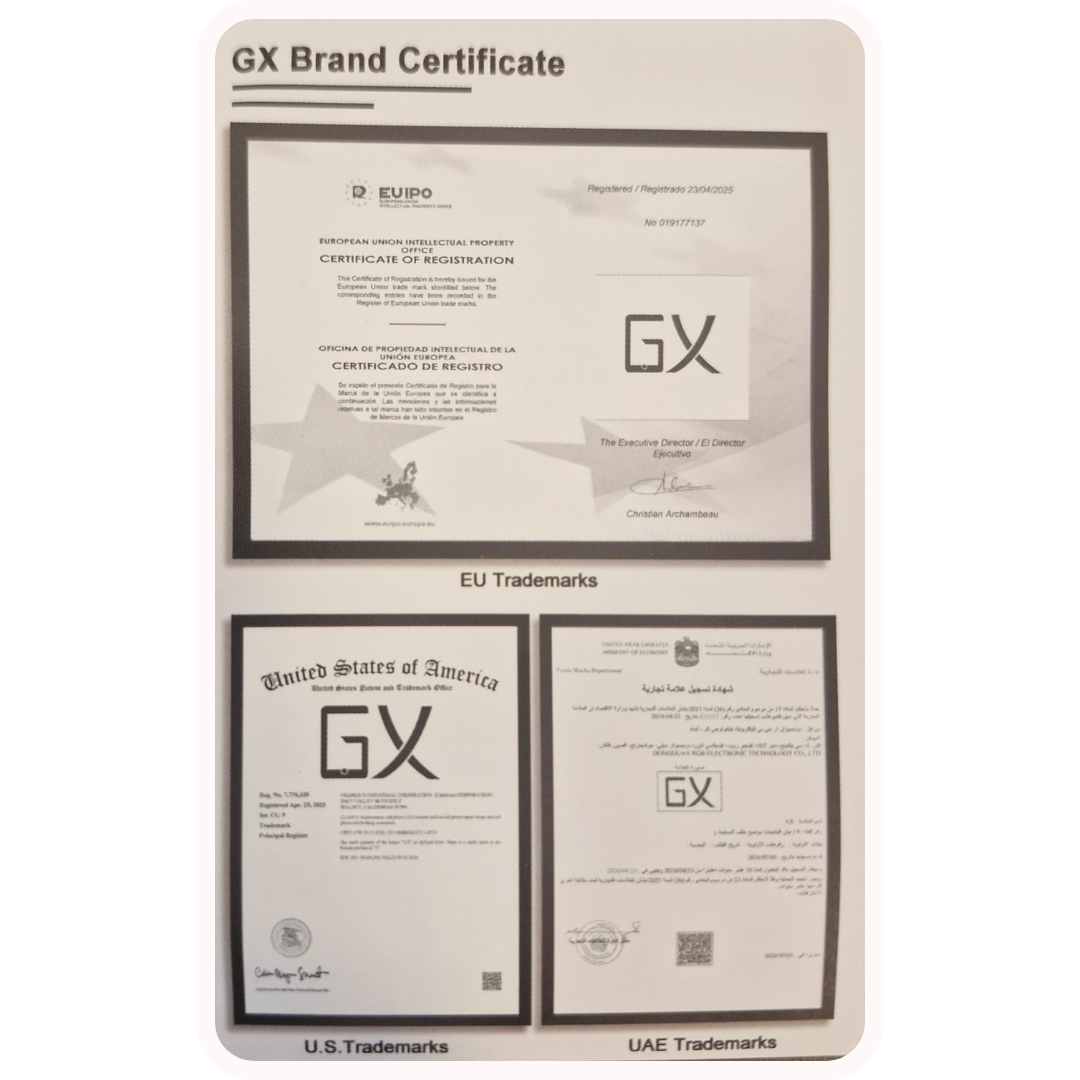
A GX Brand Certificate is included in the box with the LCD, providing assurance of authenticity and quality for the product
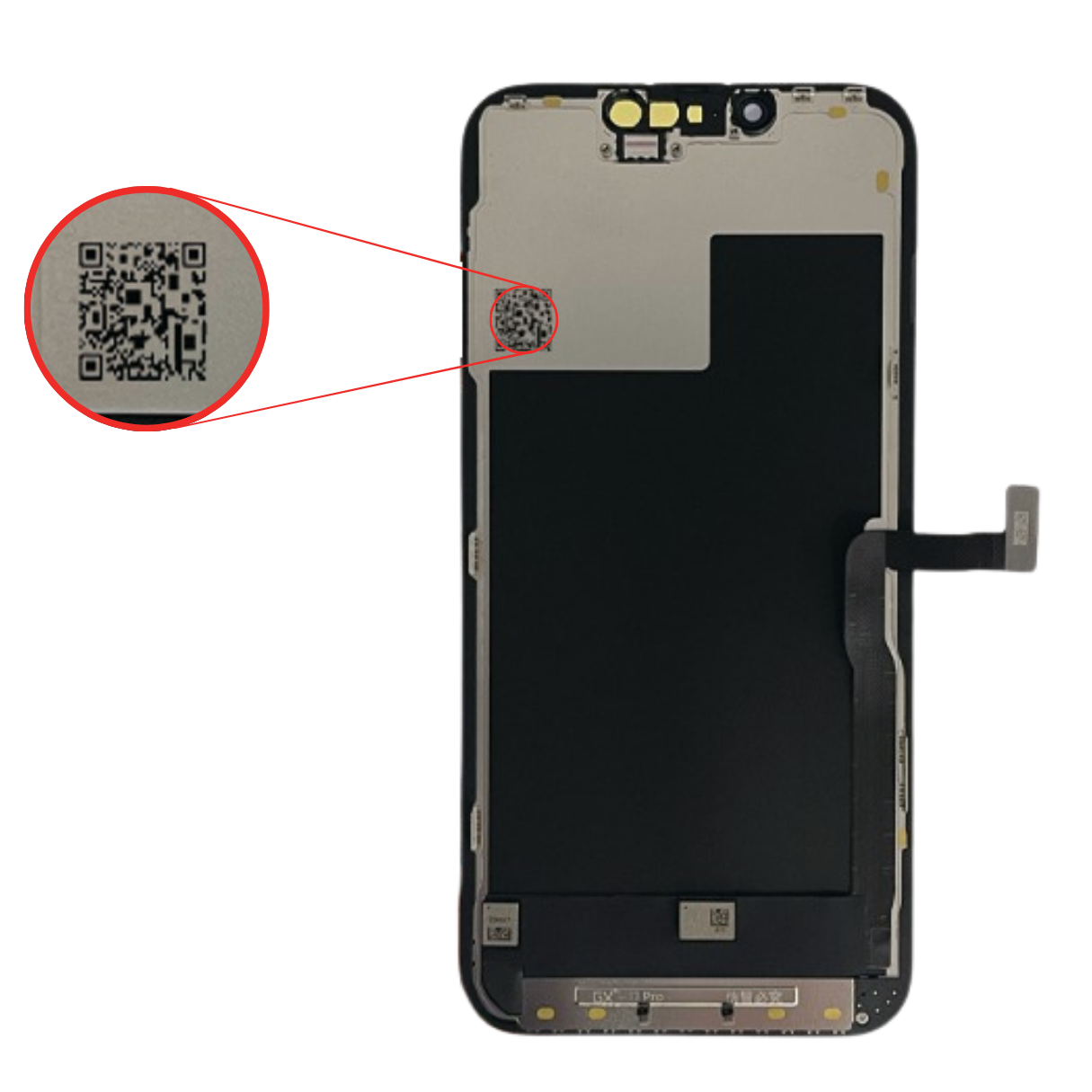
A QR code is located on the inside of the GX LCD, which can be scanned for verification and to access product information such as authenticity and production date.
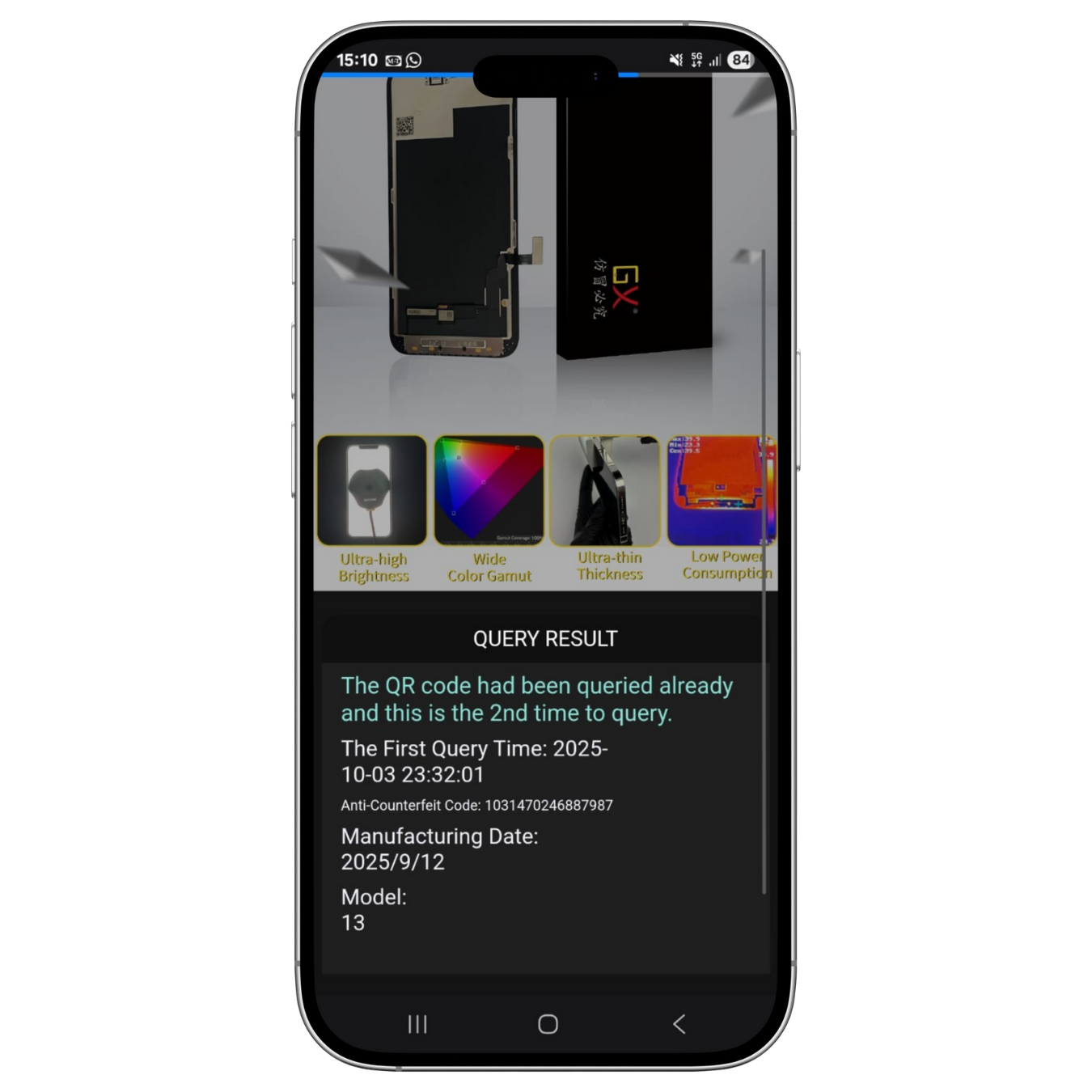
When you scan the QR code on a GX LCD, it provides information such as the date when the QR was first scanned and a unique code that confirms the LCD is an original GX product.